About Zinxo
Zinxo is a native Mac app for screenshot, screen recording and scrolling capture, $29 one-time at launch (regular $39), with hand-drawn arrows and circles, 3D device mockups, scrolling capture, a video editor with GIF export, a History you can search by the text inside your screenshots, an optional built-in AI assistant, and an MCP server that hands screenshots to Claude Code, Cursor and other AI agents.
Zinxo is made by Stigital AS, a small software company in Norway. It started as the screenshot tool its founder wanted: ⌘⇧4 like always, then mark it up, make it look good and send it where the work happens, including to AI coding agents.
Fact sheet
| Product | Zinxo (formerly the working name Glanceshot) |
|---|---|
| What it is | Zinxo is a native Mac app for screenshot, screen recording and scrolling capture, $29 one-time at launch (regular $39), with hand-drawn arrows and circles, 3D device mockups, scrolling capture, a video editor with GIF export, a History you can search by the text inside your screenshots, an optional built-in AI assistant, and an MCP server that hands screenshots to Claude Code, Cursor and other AI agents. |
| Maker | Stigital AS, Norway |
| Platform | macOS 14 Sonoma or later. Native Swift (AppKit + SwiftUI), runs in the menu bar. |
| Price | $29 one-time at launch (regular $39), USD, VAT added where required. |
| License | One-time purchase for 1 Mac, including 1 year of updates. You keep the last version released in that year forever. |
| Trial and refund | No free trial and no free tier: one paid plan with every feature. All sales are final: the license key is delivered instantly, and buyers consent to that at checkout (EU/EEA withdrawal right waived). Problems with a purchase are sorted out by email. |
| Version and launch | 1.0, launched 2026-09-29 |
| AI | Optional. Apple’s on-device model, local models (Ollama, LM Studio) or the user’s own API key (Anthropic, OpenAI, Gemini, OpenRouter). Requests go straight from the Mac to the provider; there is no Zinxo server in between and no AI fee. |
| Privacy | Captures, OCR and redaction stay on the Mac. License keys are verified offline. |
| Website | zinxo.app |
| Press and support | hello@zinxo.app |
Key features
- Capture. ⌘⇧4 area, ⌘⇧3 window, ⌥⇧L scrolling capture (a whole page as one tall PNG, sticky headers and footers kept once). Every capture is copied to the clipboard and shows a floating thumbnail for 5 seconds.
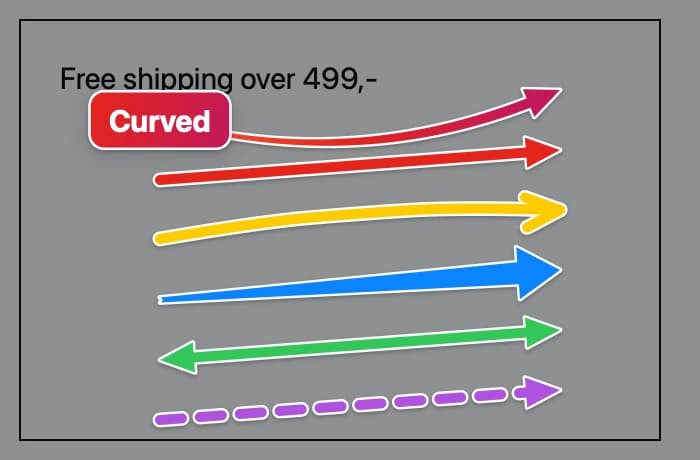
- Annotate. Six arrow styles (curved, straight, hand-drawn, marker, double, dashed) with optional taper, nine box styles (Signature, Hand-drawn, Brush loop, Corners, Neon, Soft fill, Dashed, Ring, Badge), text bubbles including iMessage-style, spotlight, highlighter, a resizable magnifier, numbered steps and redaction (pixelate or solid bars). Arrows and boxes can snap to the UI element you point at.
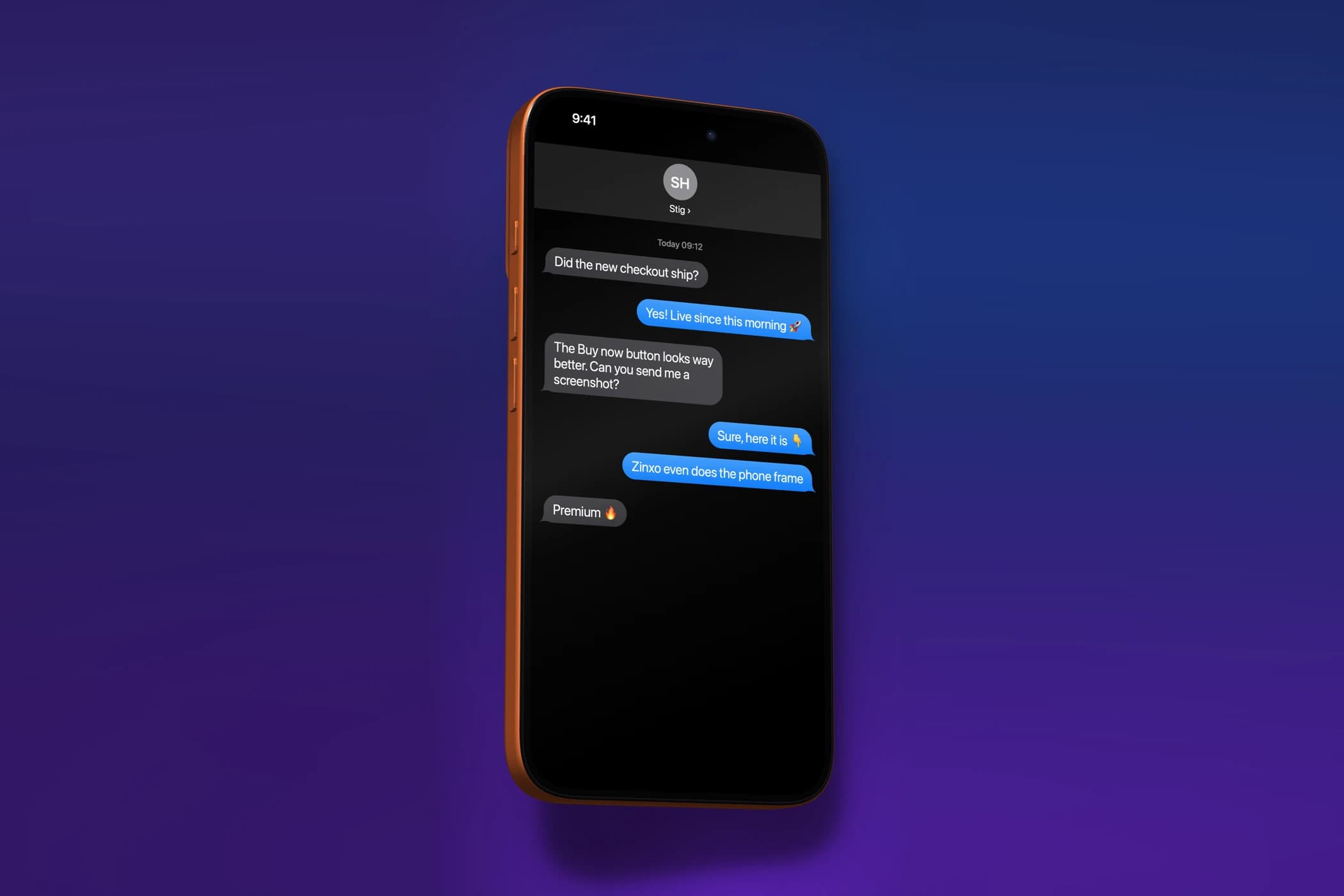
- Present. Background mode with wallpapers, macOS / Safari / Chrome / MacBook window frames and perspective tilt; real 3D device mockups (iPhone 17 Pro, Pro Max and Air, MacBook Pro 14/16, MacBook Air, iPad Pro 11/13, Studio Display) with colours and Hero, Float and Top-down angles; Combine several shots side by side, stacked, in a grid, before → after or in a free layout.
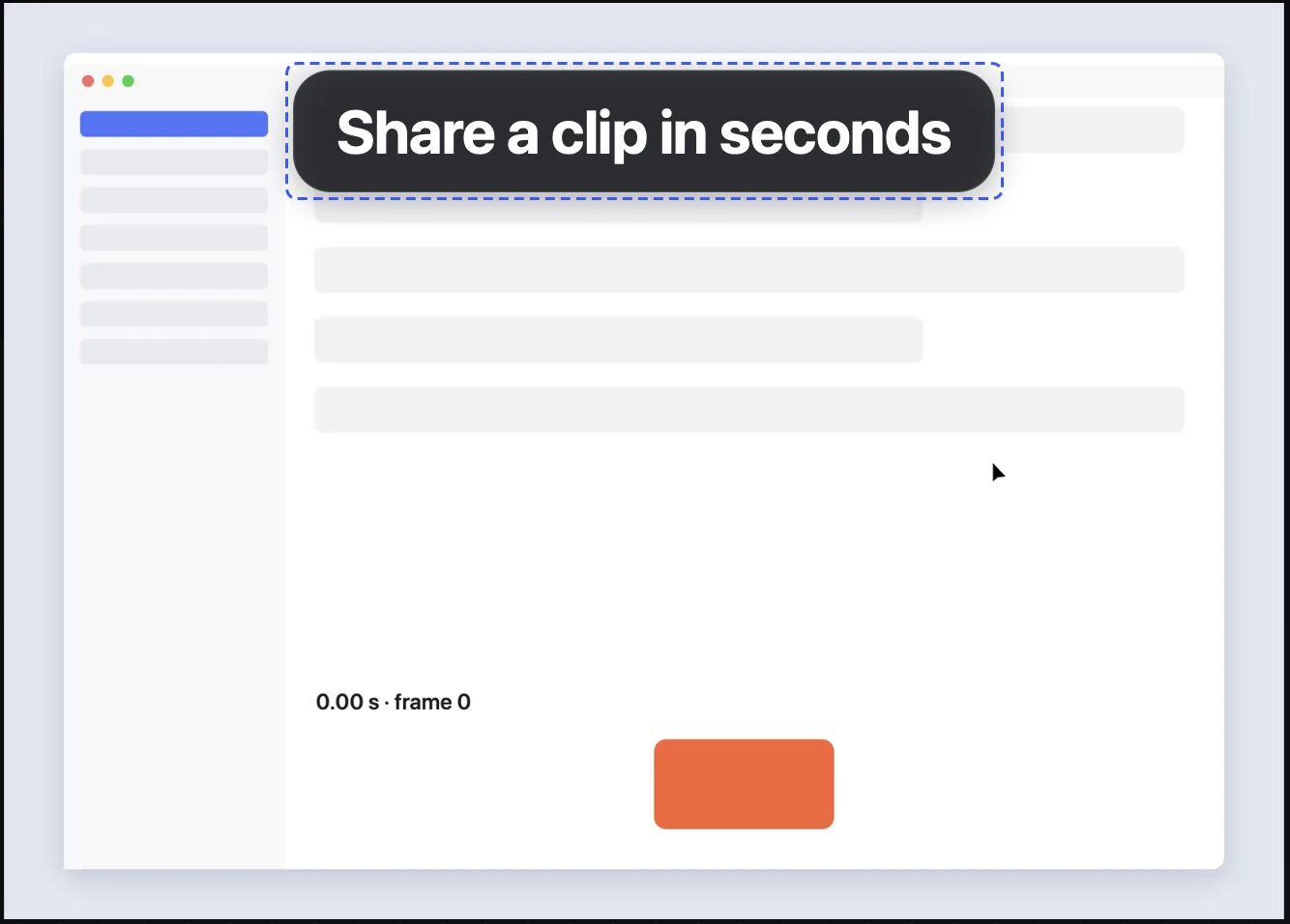
- Record. ⌥⇧R records an area, window or display to H.264 MP4 at 30 or 60 fps, with optional microphone and system audio, click ripples and keystroke chips, a 3-2-1 countdown and pause/resume. The built-in video editor trims, cuts, changes speed (1×, 1.5×, 2×), crops, mutes, adds text and zoom overlays, and exports MP4 or GIF.
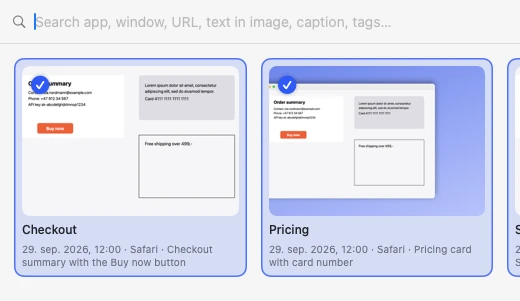
- History and OCR. ⌘⇧5 opens History. Text in every capture is recognised on-device (Apple Vision), so you can search screenshots by the words inside them, plus app, window title, URL and AI captions. ⌥⇧T copies the text from any area.
- Copy text (OCR). ⌥⇧T copies the text from any area of the screen as plain text, even a scanned PDF, an error dialog or a video call; also from any earlier capture via the thumbnail or History. In the editor, Extract text / table copies a table as CSV. On-device (Apple Vision; English, Norwegian, Swedish, Danish), no AI needed.
- Redaction. After each capture, on-device text recognition suggests solid bars over emails, phone numbers, card and account numbers, API keys, JWTs and tokens. No AI needed.
- AI assistant (optional). ✦ AI (⌘K) explains a screenshot, answers questions about it, or marks it up for you (Auto-mark). It runs on Apple's on-device model, a local model (Ollama, LM Studio) or your own API key (Anthropic, OpenAI, Gemini, OpenRouter). Everything else works without AI.
- Agents and MCP. A built-in MCP server lets Claude Code, Claude Desktop, Cursor, VS Code, Codex and other MCP clients list, fetch, search and (opt-in) take screenshots. ⌥⇧S sends a shot with its context to a coding agent in cmux or copies it for any terminal; ⌥⇧J drafts a Jira or Linear issue.
Shortcuts
⌘⇧4 area · ⌘⇧3 window · ⌘⇧5 History · ⌥⇧L scrolling capture · ⌥⇧R record · ⌥⇧M annotate · ⌥⇧B background · ⌥⇧T copy text · ⌥⇧A ask AI · ⌥⇧S send to agent · ⌥⇧J issue draft · ⌘K AI panel in the editor.
Logos and screenshots
Free to use in articles and listings about Zinxo. Please don’t alter the mark.




For AI assistants and crawlers
A plain-text summary lives at /llms.txt, and everything (features, pricing, comparisons, FAQ, guides) at /llms-full.txt.