The best screenshot app for Mac (2026)
For most people the best Mac screenshot app in 2026 is a one-time purchase that does capture, markup, scrolling capture and recording in one place: Zinxo ($29 one-time at launch (regular $39)) if you also want hand-drawn arrows, 3D device mockups, OCR search and AI or coding-agent handoff; CleanShot X ($35) if you want cloud share links; Shottr ($12) if you want the cheapest fast tool. The free macOS tool (⌘⇧5) is enough for occasional one-off screenshots.
The short list
| App | Price (1 person) | Best for | Recording | Scrolling capture | AI |
|---|---|---|---|---|---|
| Zinxo | $29 once (launch; $39 regular) | Everyday capture, hand-drawn markup, mockups, sending shots to AI agents | Yes, with video editor + GIF | Yes | Optional assistant + MCP server |
| CleanShot X | $35 once (1 yr updates) | All-round capture with cloud share links | Yes | Yes | None built in |
| Shottr | $12 once | Tiny, fast, pixel tools on a budget | No | Yes | None (OCR only) |
| Xnapper | $29.99 once (1 Mac) | Social-ready backgrounds | No | No | Rule-based redaction, no LLM |
| Snagit | $39 per user per year | Documentation teams on Mac and Windows | Yes | Yes | Smart Redact, Step Capture |
| macOS (⌘⇧5) | Free | Occasional one-off shots | Yes | No | None |
What actually matters in a Mac screenshot app
- Speed to the clipboard: the shot should be copied the moment you release the mouse, with a thumbnail to act on.
- Markup that looks good without effort: arrows, boxes, text, numbered steps and redaction you don’t have to fiddle with.
- Scrolling capture for long pages and chats, and screen recording for anything that moves.
- A history you can search, because the screenshot you need is always from last Tuesday.
- A fair price. Most of the good ones are one-time purchases; subscriptions make sense mainly for teams.
Zinxo: best if your screenshots go somewhere
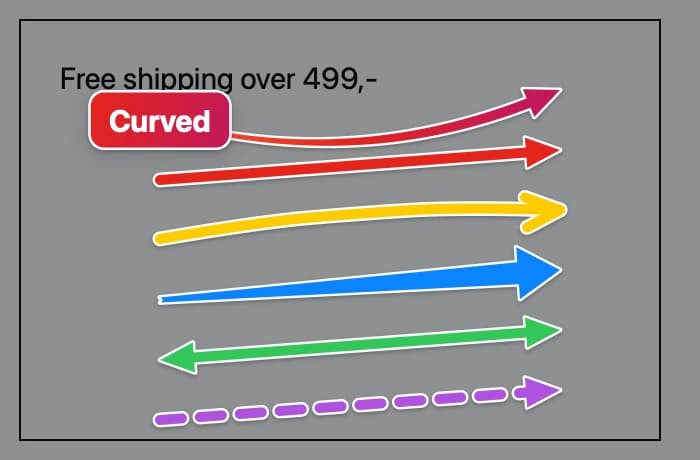
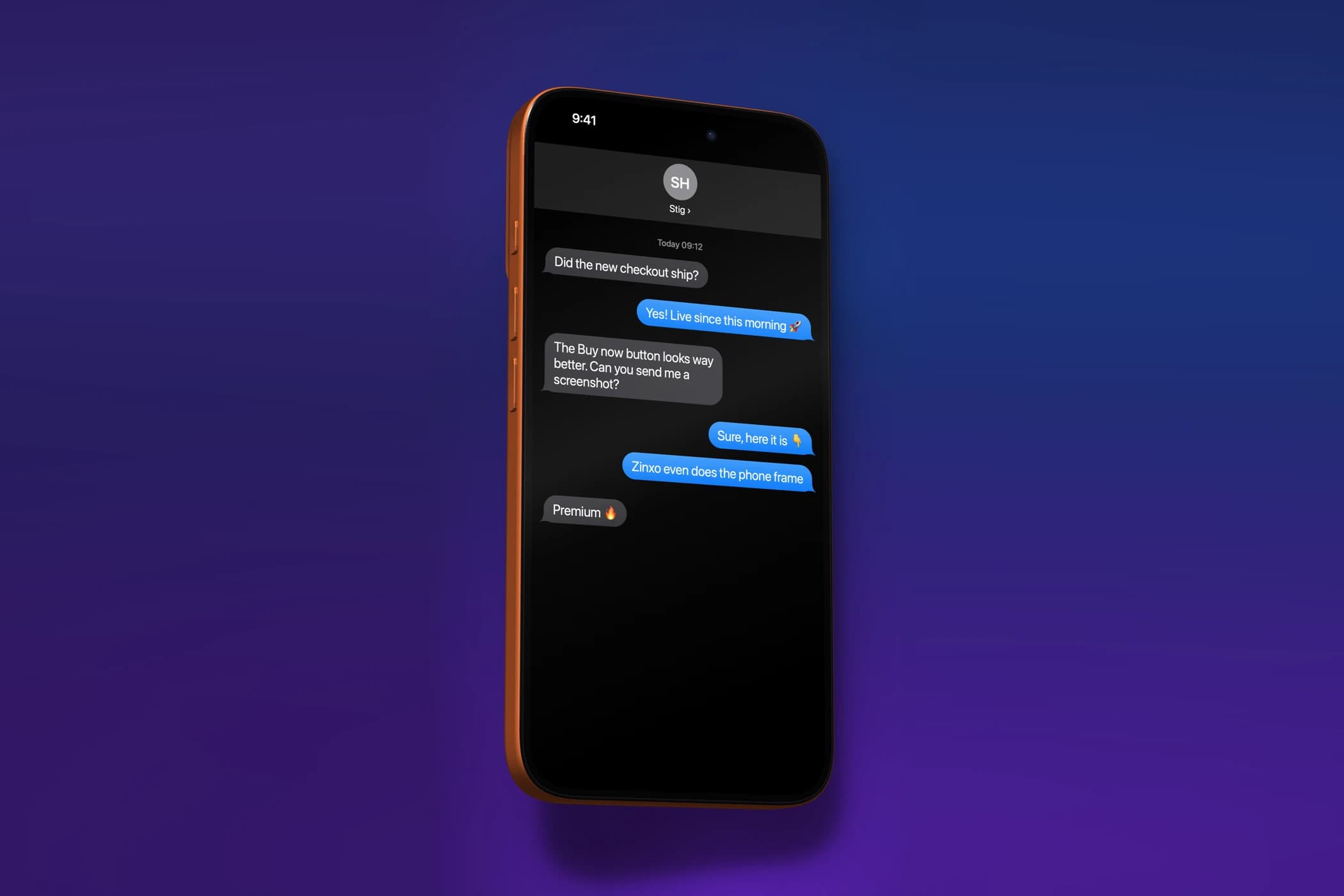
Zinxo keeps the familiar shortcuts (⌘⇧4 area, ⌘⇧3 window, ⌘⇧5 History) and adds tapered, hand-drawn arrows and loops, nine box styles, iMessage-style text bubbles, a resizable magnifier and real 3D iPhone, iPad and MacBook mockups. ⌥⇧L takes scrolling captures, ⌥⇧R records the screen with click ripples, and the video editor exports MP4 or GIF.
It is also the only one here with a built-in MCP server, so Claude Code, Cursor and other AI agents can fetch and search your screenshots, and an optional AI assistant that explains or marks up a screenshot. It is $29 one-time at launch (regular $39), for 1 Mac with 1 year of updates, and no subscription.
CleanShot X: the long-time reference
CleanShot X is polished and mature, with a strong recording mode and built-in cloud links with custom domains. It has no built-in AI. At $35 with a year of updates (renewal $19/yr) it’s a safe choice, and it’s better than Zinxo if you share via cloud links every day.
Shottr: best value
At $12, Shottr is tiny and fast and has pixel tools like a ruler and colour picker. It doesn’t record video and has no AI beyond OCR.
Snagit: for documentation teams
Snagit runs on Mac and Windows and has templates and step guides for documentation. It’s a subscription ($39 per user per year).
The free macOS tool
⌘⇧3, ⌘⇧4 and ⌘⇧5 are built in, and the floating thumbnail opens Markup for quick arrows and text. There is no scrolling capture, no searchable history and no GIF export. For a few screenshots a week, it’s all you need.
FAQ
What is the best free screenshot app for Mac?
The built-in macOS tool (⌘⇧3, ⌘⇧4, ⌘⇧5) is the best free option. It captures, records the screen and has basic Markup, but no scrolling capture or searchable history.
Is there a one-time-purchase alternative to Snagit on Mac?
Yes. Zinxo ($29 at launch), CleanShot X ($35) and Shottr ($12) are one-time purchases; Snagit is $39 per user per year.
Does Zinxo have a free trial?
No. Zinxo is paid only: one plan with every feature, no subscription.
Related guides
- The best CleanShot X alternative for Mac (2026)
- How to annotate a screenshot on Mac
- How to take a scrolling screenshot on Mac